🈴 Print Download

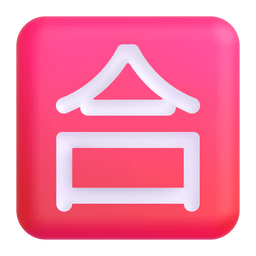
Japanese “passing Grade” Button Emoji Meaning in Belarusian ― 🈴

Looking for japanese “passing grade” button emoji meaning in belarusian ― 🈴 online? This is the place to be. We did our research to help you with that.

What does this 🈴 emoji mean? Definition and meaning : Гэты эмодзі можна выкарыстоўваць для абазначэння поспеху або дасягнення ў японскім кантэксце, напрыклад, здачы экзамену або дасягнення мэты. Ён таксама можа быць выкарыстаны, каб адзначыць чыесьці дасягненні або выказаць гонар за ўласныя дасягненні.

More details about Japanese “passing Grade” Button Emoji Meaning in Belarusian ― 🈴

🈴 can be rendered differently on each device. Here are the possible versions.

Emoji: 🈴

Name: Japanese “passing grade” button

Version: E0.6

Hex Code: 1f234

Decimal Code: 127540


Related emojis:

`; // Clone the emoji image for printing const printImg = emojiImg.cloneNode(true); printImg.style.cssText = ` width: auto; height: auto; max-width: 72px; max-height: 72px; `; printContainer.appendChild(printImg); // Add print styles const printStyle = document.createElement("style"); printStyle.id = "print-style-temp"; printStyle.textContent = ` @media print { body * { visibility: hidden; } #print-container-temp, #print-container-temp * { visibility: visible; } #print-container-temp { position: absolute; left: 0; top: 0; width: 100%; height: 100%; display: flex; justify-content: center; align-items: center; } } `; document.head.appendChild(printStyle); document.body.appendChild(printContainer); // Trigger print dialog setTimeout(() => { window.print(); // Clean up after print dialog closes setTimeout(() => { if (document.body.contains(printContainer)) { document.body.removeChild(printContainer); } if (document.head.contains(printStyle)) { document.head.removeChild(printStyle); } }, 500); }, 100); }); }); // --- DOWNLOAD FUNCTION (Mobile-friendly, using the emoji image directly) --- document.querySelectorAll(".js-download-btn").forEach(button => { button.addEventListener("click", async () => { const type = button.dataset.type; // 'png' or 'jpeg' const size = parseInt(button.dataset.size, 10); // 32, 64, 128 const iconItem = document.querySelector("#single-icon-container .icon-item"); const fileName = "japanese-passing-grade-button-emoji-copy-paste-%e2%80%95-%f0%9f%88%b4"; if (!iconItem) { console.error("Icon item not found"); return; } // Find the emoji image inside the icon-item const emojiImg = iconItem.querySelector("img.emoji"); if (!emojiImg) { console.error("Emoji image not found"); return; } try { // Load the emoji image const img = new Image(); img.crossOrigin = "anonymous"; await new Promise((resolve, reject) => { img.onload = resolve; img.onerror = reject; img.src = emojiImg.src; }); // Create canvas and resize the image to the requested size const canvas = document.createElement("canvas"); canvas.width = size; canvas.height = size; const ctx = canvas.getContext("2d"); // Fill background if (type === "jpeg") { ctx.fillStyle = "#ffffff"; ctx.fillRect(0, 0, canvas.width, canvas.height); } // Draw the emoji image centered and scaled const scale = Math.min(canvas.width / img.width, canvas.height / img.height); const x = (canvas.width - img.width * scale) / 2; const y = (canvas.height - img.height * scale) / 2; ctx.drawImage(img, x, y, img.width * scale, img.height * scale); // Convert to blob for better mobile support const dataURL = (type === "png") ? canvas.toDataURL("image/png") : canvas.toDataURL("image/jpeg"); // Use blob URL approach for mobile compatibility const response = await fetch(dataURL); const blob = await response.blob(); const blobURL = URL.createObjectURL(blob); // Create link and trigger download const link = document.createElement("a"); link.download = `${fileName}-${size}.${type}`; link.href = blobURL; link.style.display = "none"; // Append to body (required for iOS) document.body.appendChild(link); // Use both click and programmatic click for maximum compatibility if (document.createEvent) { const event = document.createEvent("MouseEvents"); event.initEvent("click", true, true); link.dispatchEvent(event); } else { link.click(); } // Clean up after a delay setTimeout(() => { if (document.body.contains(link)) { document.body.removeChild(link); } URL.revokeObjectURL(blobURL); }, 100); } catch (error) { console.error("Download failed:", error); alert("Download failed. Please try again."); } }); }); });